Explore the future of product personalization. Our AI-driven software turns your customers into digital artists to bring their boldest ideas to life - faster and easier than ever before.
Image-to-image magic: transforming your photographs into stunning phone-case art
4 min read
•
Aug 21, 2025
TL;DR
Turn snapshots into bestsellers. Learn how Masterpiece AI’s image-to-image engine transforms personal photos into print-ready phone case art—preserving memories while adding professional style in seconds.
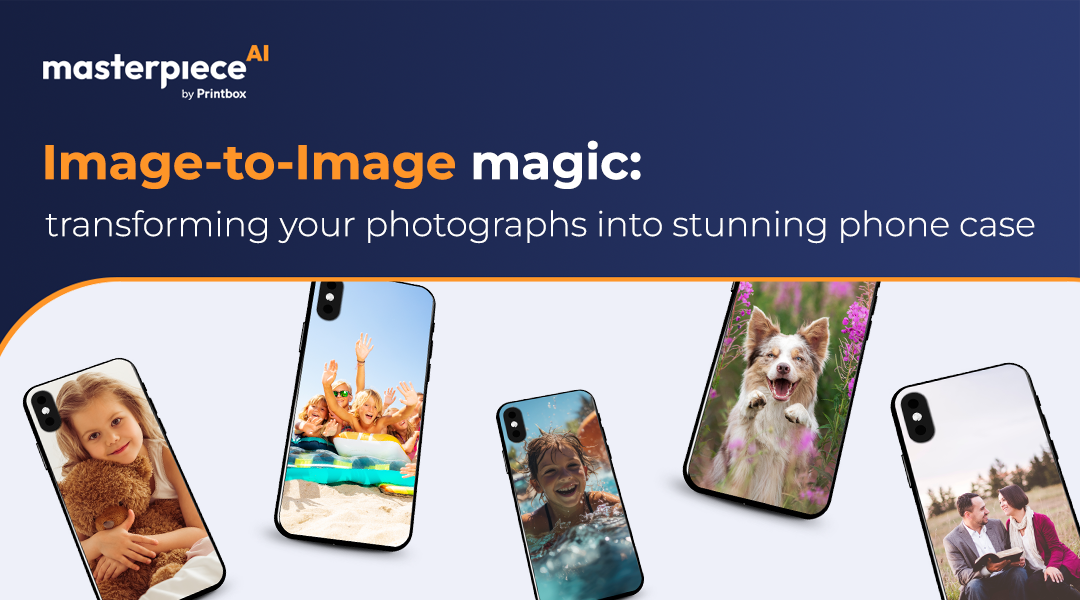
Turn your favorite memories, snapshots, and photographs into bespoke phone-case masterpieces with Masterpiece AI’s image-to-image engine. Whether it’s a family portrait, a scenic landscape, or an abstract doodle, our platform empowers you to elevate any image into a print-ready design that fits precisely on your device. People cherish personal memories, and embedding those moments into everyday items creates lasting emotional value. In a market flooded with generic designs, photo-based cases stand out as one-of-a-kind, driving higher engagement and brand loyalty.
What Is Image-to-Image Transformation?
Image-to-image is a family of AI techniques that take an input image and reinterpret it in a new style or format. At Masterpiece AI, our proprietary engine analyzes your photograph, extracting key elements like colors, shapes, and textures. It then reimagines them in a design optimized for printing. This includes Style Conversion (turning a raw snapshot into watercolor or neon art), Resolution Enhancement (upscaling for high DPI), and Layout Optimization (recomposing focal points for phone aspect ratios).
Creative Inspiration: Top Use Cases
Pet Portraits with a Twist: Transform a dog or cat photo into a pop-art masterpiece using bold colors.
Travel Memories: Turn beach sunsets or mountain vistas into dreamy watercolor prints for wanderlust-inspiring cases.
Abstract Doodles: Scan a child’s crayon artwork and let AI refine it into a high-contrast abstract pattern.
Neon Nostalgia: Convert classic black-and-white photos into neon outline art for a retro-futuristic aesthetic.
Step-by-Step: Crafting Phone-Case Art
Upload & Choose Style: Upload a high-quality JPEG or PNG (at least 1200×2400 px) and select a style—from minimal line art to hyper-realistic painting—that complements the photo’s mood.
Adjust Composition: Use the in-browser crop tool to frame the most important elements. Ensure critical details don't fall under camera cutouts.
Generate & Refine: Hit “Generate” to receive three variations. Select your favorite and tweak brightness, contrast, or line density.
Preview & Export: View your design on a 3D phone mockup to verify alignment, then download your print-ready file.
Tips for Perfect Conversions
Start with high-resolution files (300 dpi target) for the clearest output. Always position the subject centrally or slightly off-center to avoid button/camera interference, and never settle on the first result—experiment with at least three aesthetic modes to find the perfect look.
Key Takeaways
Masterpiece AI offers a seamless workflow to upload, style, preview, and export designs. By combining versatile styles with 3D preview confidence, you can ensure professional-quality, print-ready precision every time.
Ready to boost your product personalization?
Go beyond templates and offer AI-generated designs your customers will love — at scale, with print-ready quality.
Whether you run a global marketplace or a niche store, Masterpiece AI gives you the tools to design smarter, scale faster, and delight your customers with every click. Tell us more and we’ll show you how it works.